
Ear Agent Live : Hearing Aid
One Music PlayerCommunication
4.7262.00 Reviews
- Version
- 6.1.0
- Installs
- 500.00K
- Age Rating
- Everyone
Screenshots
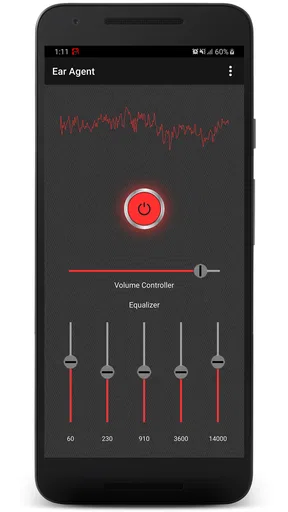
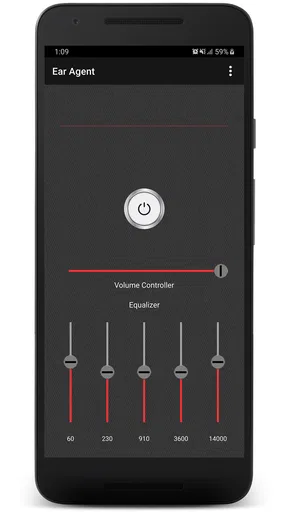
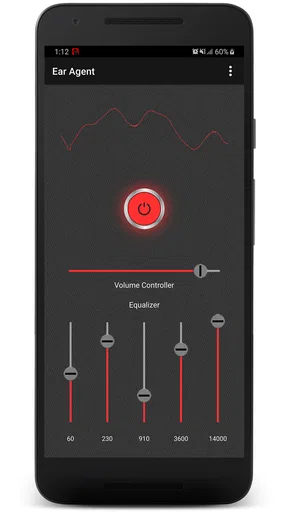
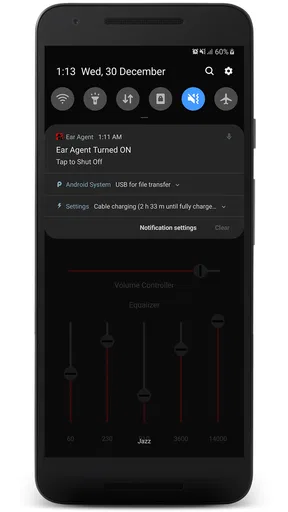
Our Review of Ear Agent Live : Hearing Aid
 Analysis by Appyee
I approached Ear Agent Live: Hearing Aid as a practical communication app rather than a replacement for dedicated hearing equipment. Its purpose is straightforward: it uses a phone and connected listening setup to make nearby sound easier to hear. That can be useful in a quiet room, during a conversation, or when you want to experiment with clearer listening without immediately buying specialized hardware. My main impression is that the idea is convenient, but the experience depends heavily on the phone, headphones, surroundings, and the way you position yourself.
The app comes from One Music Player and sits in the communication category. It is free to install, with optional in-app purchases ranging from $0.99 to $99.99 per item. The audience rating is Everyone, and it runs on Android 8.0 or later. With a 4.7 average from around 4.2K ratings and over 500K installs, it has clearly attracted a sizeable audience, although popularity should not be confused with medical suitability. I would treat it as an accessibility-oriented listening aid for everyday experiments, not as a clinically fitted hearing solution.
Where the experience usually gets stuck
The first obstacle is often not the app itself but the audio path. A phone can only amplify or process sound that its microphone receives, and the result must then travel to a listening device. If headphones are not connected correctly, if the phone is using another audio route, or if the headset has its own controls turned down, the app may appear ineffective even though it is running normally.
I would begin in a quiet place instead of testing it in a busy street or a room full of people. Background noise gives the microphone too much competing material, making it difficult to judge whether nearby speech has become clearer. A calm room also makes it easier to notice whether the sound is delayed, distorted, too loud, or simply unchanged.
That delay is an important practical detail. Phone-based listening can introduce a small gap between a person speaking and the sound reaching your ears. Even a modest delay may feel strange during conversation, because your brain expects voices to arrive immediately. If speech sounds unnatural or you hear a faint echo, lowering the volume and moving the phone closer to the speaker can be more useful than repeatedly changing settings.
The most important safety habit is to start at a very low volume. An amplifier can make unwanted sounds louder as well as useful ones. I would never begin with the phone near a loudspeaker, traffic, machinery, or a crowded venue. Raise the level gradually, stop if the sound becomes uncomfortable, and do not use the setup as a reason to ignore normal hearing protection.
Another point that can confuse new users is the difference between hearing more and understanding more. Amplifying a voice does not automatically remove room echo, competing conversations, or unclear speech. In a reverberant kitchen, for example, the app may make both the speaker and the reflections more prominent. That can feel louder without feeling clearer.
What I check before blaming the app
My first check is physical: I make sure the headphone plug is fully inserted, or that the wireless listening device is actually connected to the phone. I also check whether sound is coming from the intended device rather than the handset speaker. This sounds basic, but it is the most common reason an audio utility seems silent or inconsistent.
Next, I test with a familiar sound. A short conversation with someone nearby works better than music because it reflects the app’s likely everyday purpose. I ask the person to speak at a normal level from a fixed position, then repeat the test with the phone placed closer to them. That simple comparison reveals whether distance is the real issue.
I also make sure the microphone opening is not covered by a case, a finger, fabric, or a dusty surface. Phone microphones are small, and blocking one can dramatically change the result. If the sound suddenly becomes muffled after placing the phone on a table, I move it so the microphone is facing the speaker rather than being pressed against the surface.
On Android, I would check the system volume separately from any control inside the app. These are not always the same thing. A phone can show a comfortable media level while the connected headphones are independently set very low. I would adjust carefully, listening between each change, rather than moving every control to maximum.
Because the current version is 6.1.0, I would also keep the application and phone software reasonably current when possible. That is not a promise that every connection problem disappears after an update, but it removes one avoidable variable. If the phone is older, I would give it extra time to establish a wireless connection and close other audio-heavy applications before testing.
A setup routine that saves time
My preferred setup is deliberately boring. I sit in a quiet room, connect the listening device, open the app, and keep the phone on a stable surface or hold it with the microphone directed toward the person speaking. I then begin with the lowest comfortable amplification and ask for a normal sentence. Only after that do I try a different position or a slightly higher level.
Keeping the phone close to the sound source is one of the most useful adjustments. If someone is sitting across a table, placing the phone near the middle of the table may capture both voices and room noise. Placing it nearer the person I want to hear can improve the signal more effectively than simply increasing volume. This is especially helpful when the room is quiet but the speaker is several steps away.
I avoid putting the phone directly beside the headphones or microphone when testing. That arrangement can produce feedback, a whistling sound, or an unpleasant loop. If that happens, I create more distance between the phone and the listening device, lower the level, and change the angle. A feedback problem is not evidence that the phone is broken; it is usually a sign that the microphone is picking up the amplified output.
For a one-to-one conversation, I find a fixed position easier than carrying the phone around. Movement changes the microphone angle and distance from moment to moment, which makes the sound fluctuate. A stable placement also helps the other person understand where to speak. I would explain that the phone is being used as a listening aid and ask them not to cover its microphone.
Users should also decide whether they need a temporary listening boost or a dependable all-day solution. This app is more appealing for occasional situations: hearing a quiet speaker in a small room, following a family conversation, or testing whether amplification helps before exploring other options. It is less convincing as the only tool for long meetings, noisy public spaces, or serious hearing difficulty.
Recovering a workflow when something goes wrong
When the sound disappears, I use a short reset sequence instead of changing everything at once. I stop the listening session, check the phone’s audio output, disconnect and reconnect the headphones, and reopen the app if necessary. Then I test again with a quiet voice. Changing one variable at a time makes it much easier to identify whether the problem is the connection, the phone, or the environment.
If the app works but the sound is uncomfortable, I lower the amplification before touching anything else. Harshness can come from excessive volume, microphone placement, or the natural limitations of small phone microphones. Moving the phone away from a hard wall or tabletop may reduce reflections. I also try a different pair of headphones if available, because the listening device has a major effect on comfort and clarity.
A useful recovery trick is to return to the simplest possible scenario: one speaker, one phone, one listening device, and no television or music in the background. If that works, I add the original conditions one by one. For example, I might move back to the dining room, then add a second person, then test from a greater distance. This creates a practical boundary for the app instead of leaving me with the vague conclusion that it is unreliable.
If wireless audio becomes unstable, I would first bring the phone and headphones closer together and remove unnecessary competing connections. I would also avoid testing while the phone is buried in a bag or behind furniture. If the connection remains inconsistent, a wired listening setup may be worth trying, provided it is compatible with the phone. The important point is to distinguish a wireless link problem from an amplification problem.
Battery and heat can also affect a long listening session. Continuous microphone and audio use can be more demanding than ordinary messaging or browsing. I would begin with a reasonably charged phone, avoid leaving the app running when it is not needed, and stop if the device becomes unusually warm. These are sensible precautions for any app that continuously handles live sound.
If a setting seems to make the result worse, I do not assume that the strongest option is the best one. More amplification can expose hiss, room noise, handling sounds, and feedback. I prefer the lowest level that lets me follow the speaker. That approach is more comfortable and gives the microphone a better chance of preserving speech rather than turning the entire room into an undifferentiated wall of sound.
When the phone is not the real cause
Some situations are simply beyond what a general-purpose phone app can solve. Severe background noise, multiple people speaking at once, heavy echo, and large distances all reduce the usefulness of live amplification. If the person is difficult to understand even when standing close in a quiet room, the limitation may be related to the listening device, the phone microphone, or the underlying hearing need rather than an application failure.
Headphones can introduce their own problems. Poor fit, blocked ear tips, uneven output, or a low-quality microphone may make speech sound dull or unbalanced. If one ear sounds much louder than the other, I would test the headphones with another audio source and check their physical condition. A comparison test can prevent unnecessary troubleshooting inside the app.
The room matters more than many people expect. Kitchens with hard surfaces, bathrooms, open offices, and busy cafés create reflections and competing sounds that no simple phone setup can reliably separate. A quieter corner, a closed door, or a closer microphone position may produce a greater improvement than any software adjustment. This is why I would judge the app in the environment where I actually plan to use it, not only in ideal conditions.
There is also a medical boundary. If hearing loss is new, sudden, one-sided, painful, accompanied by dizziness, or getting worse, an app should not be used to postpone professional advice. Even for gradual hearing difficulty, a proper hearing assessment can identify issues that a phone amplifier cannot. Ear Agent Live can be a convenient experiment, but convenience is not the same as diagnosis, fitting, or treatment.
Compared with ordinary hearing aids, this app is cheaper to try and easier to remove from the workflow, but it lacks the personal fitting and purpose-built hardware that make dedicated devices more dependable. Compared with a basic phone call or speaker mode, it offers a more focused listening experiment, yet it still depends on the phone microphone and connected audio equipment. Compared with general sound-amplifier apps, its appeal is its direct communication use, but the same environmental trade-offs remain.
I would skip it if I need discreet, consistent support throughout the day, automatic adaptation to changing environments, or confidence in a crowded venue. I would also skip relying on it if I cannot comfortably use headphones or if amplified sound causes discomfort. In those cases, an audiologist, professionally selected hearing device, or another accessibility solution is a better direction.
Who will get the most from it
The best match is someone who wants to explore whether phone-based amplification helps in specific, controlled situations. A family member who occasionally misses quiet speech at home may find it useful for short conversations. Someone comparing listening options before spending more money may appreciate the chance to test the basic idea. It can also suit a user who already understands the limits of live phone audio and wants a portable backup.
A realistic example would be a quiet visit with an older relative. I would place the phone near the relative, connect headphones, start softly, and keep the conversation at a normal pace. If the room became noisy, I would not keep increasing the volume; I would move closer, reduce background sound, or pause the test. That workflow makes the app a practical aid rather than a promise that every voice becomes perfectly clear.
The app’s free entry point is helpful for this kind of trial, while the optional purchases mean users should pay attention before confirming anything inside the app. I would first establish whether the basic listening experience is comfortable and useful in my own environment. There is little value in paying for more capability if the real limitation is a poor microphone position, unsuitable headphones, or excessive room noise.
For a first-time user, I recommend writing down what worked: distance from the speaker, headphone type, room conditions, and comfortable volume. This small record turns random experimentation into a repeatable routine. It also makes it easier to recognize when a problem is caused by a particular room or device rather than by the app itself.
My practical verdict
After looking at the complete workflow, I see Ear Agent Live: Hearing Aid as a useful low-commitment tool for controlled listening situations. It is easy to understand in concept, free to begin, and available to a broad Android audience from version 8.0 onward. The strong user response and large install base make it worth investigating, but I would still judge it by a personal test in a quiet room rather than by its rating alone.
Its biggest strength is flexibility: the phone is already something many people carry, and a short listening session can be arranged without purchasing specialized equipment first. Its biggest weakness is equally clear: the phone, headphones, microphone position, room acoustics, and background noise all influence the result. That makes the app practical in the right conditions but unpredictable when the environment is demanding.
My recommendation is to try it patiently, keep the volume conservative, and use a simple one-speaker test before drawing conclusions. If it helps with occasional conversations, it may earn a place in your accessibility toolkit. If it produces distortion, delay, feedback, or no meaningful improvement even in a quiet room, I would stop troubleshooting and consider a different listening device or professional assessment.
In short, I would recommend it as an experiment and occasional communication aid, not as a substitute for hearing care or dedicated hearing technology. Use the lowest comfortable level, keep the phone close to the speaker, and let the environment guide your expectations. That honest approach is where this app makes the most sense.
Verdict
Strengths of Ear Agent Live : Hearing Aid
- Amplifies nearby sounds through connected headphones in real time.
- Simple interface makes basic listening assistance quick to access.
- Useful for conversations, television, or monitoring sounds at home.
- Works with many standard wired and Bluetooth audio devices.
- Can help users test whether extra amplification improves daily listening.
Limitations of Ear Agent Live : Hearing Aid
- Performance depends heavily on microphone and headphone quality.
- Bluetooth connections may introduce noticeable audio delay.
- Background noise can be amplified along with voices.
- Requires careful volume adjustment to avoid uncomfortable sound levels.
- It is not a substitute for a professional hearing test or medical hearing aid.
Other Releases by One Music Player
View All
Universal Tv Remote-Cast to TV
House & Home4.1

HD Camera for Android
Beauty4.5

Smart Watch - Clock Wallpaper
Personalization4.6

AirTag Scan: Bluetooth Tracker
Tools4.5
Similar Picks in This Category
View All
Google Messages
Google LLC4.6

Gmail
Google LLC4.1

Google Meet
Google LLC4.4

Google Chrome
Google LLC4.1

WhatsApp Messenger
WhatsApp LLC4.6

Carrier Services
Google LLC4.2
Frequently Asked Questions
What is Ear Agent Live: Hearing Aid, and how does it work?
Ear Agent Live: Hearing Aid is an Android app designed to amplify nearby sounds through your phone’s microphone and headphones. After granting microphone permission, the app captures surrounding audio and plays it back with increased volume. In testing, it can be useful for listening to conversations or environmental sounds, but performance depends heavily on the phone, microphone quality, headphones, and background noise.
Can Ear Agent Live: Hearing Aid replace a medical hearing aid?
No. Ear Agent Live: Hearing Aid should not be considered a replacement for a professionally fitted hearing aid or medical treatment. It is better understood as a sound-amplification tool for occasional situations. If you regularly struggle to hear, experience ringing, pain, dizziness, or sudden hearing changes, consult an audiologist or doctor. Professional hearing devices are adjusted to individual hearing needs and include safety features that a general app may not provide.
What permissions and equipment does the app require?
The app generally requires access to the device microphone because it needs to capture surrounding sounds. Headphones or earphones are also recommended, and in many cases necessary, to hear the amplified audio clearly. Wired headphones may offer lower delay than Bluetooth models, while wireless audio can introduce noticeable latency. Review the permission request carefully and avoid granting access if you are uncomfortable with microphone use.
Is Ear Agent Live: Hearing Aid suitable for noisy places or continuous use?
The app may help in relatively quiet environments, such as listening to a nearby conversation, television, or soft background sounds. However, busy streets, restaurants, and crowded rooms can make amplification less comfortable because unwanted noise is increased as well. Avoid using it at excessive volume or for long periods, since loud audio can damage hearing. It is also not appropriate for situations requiring full awareness, such as driving.
Is Ear Agent Live: Hearing Aid free to download, and are there advertisements or in-app purchases?
The availability of free features, advertising, and optional purchases can vary according to the app version, country, and distribution platform. Before downloading, check the current Google Play listing for the exact pricing, subscription details, advertisements, and data-safety information. If the app offers premium controls or removes ads through payment, compare those benefits with your needs and review cancellation terms before confirming any purchase.
